How to Send and Track Gift Cards With Claude or ChatGPT Using MCP
The complete tutorial for sending gift cards with Claude or ChatGPT via the Hoppier MCP: the 2-minute connection (recorded), a real send, claim tracking, every supported action, the approval model, and when to use a scheduled program or the API instead.



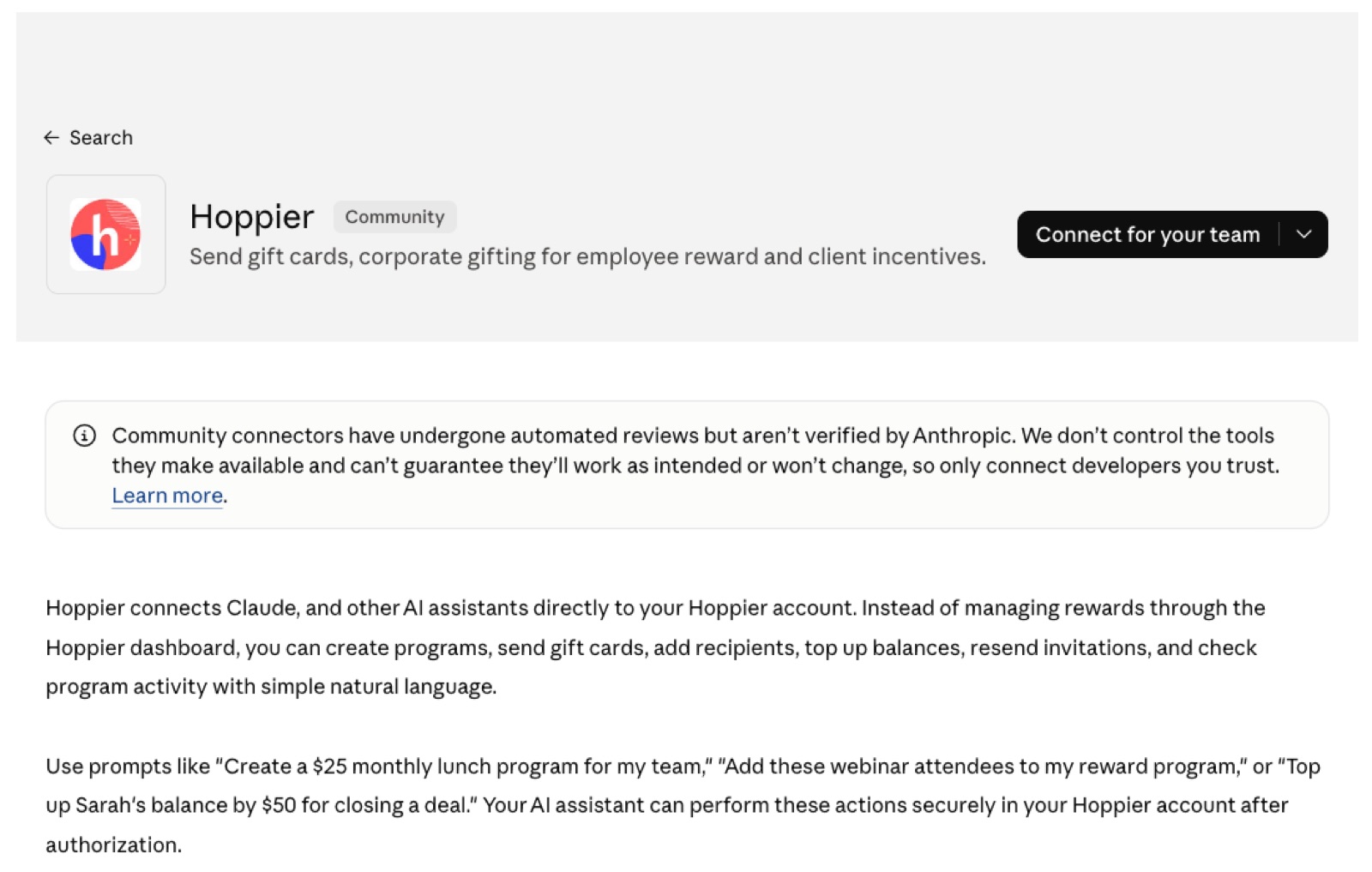
Quick answer: connect Claude or ChatGPT to Hoppier through the MCP (Integrations → Claude → Connect, authorize, confirm the emailed code - about two minutes), and your assistant can create reward programs, add recipients, check who claimed what, and send top-ups in plain English. Every action defaults to needs-approval; you loosen what you trust in the connector settings.
This is the complete tutorial, recorded on a real account: the connection, a real send, how tracking works, exactly what the agent can and can't do, and when you should use a scheduled program or the API instead. No mock screens.
Step 1: Connect (Two Minutes, Recorded)
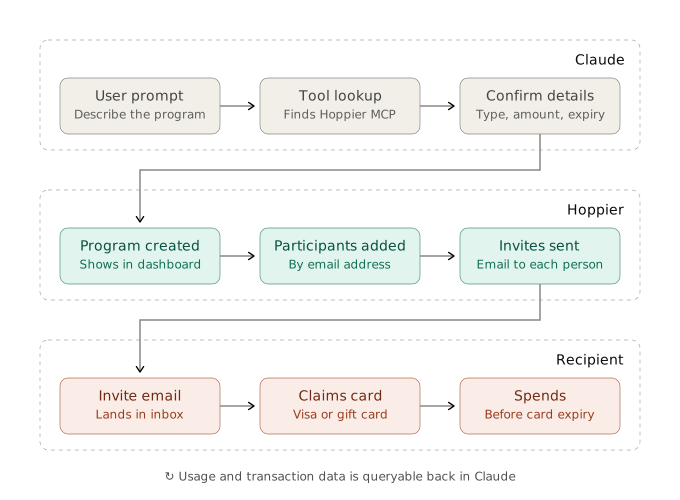
From your Hoppier dashboard: Integrations → Claude → Open Claude Connect. That lands on the Hoppier listing in the Claude marketplace (ChatGPT follows the same flow through its plugin process - same MCP server underneath).
Click Connect and you'll hit the authorization screen, which spells out exactly what Claude gets: view programs and participants, create programs and manage invite emails, add participants, send top-ups subject to approval.
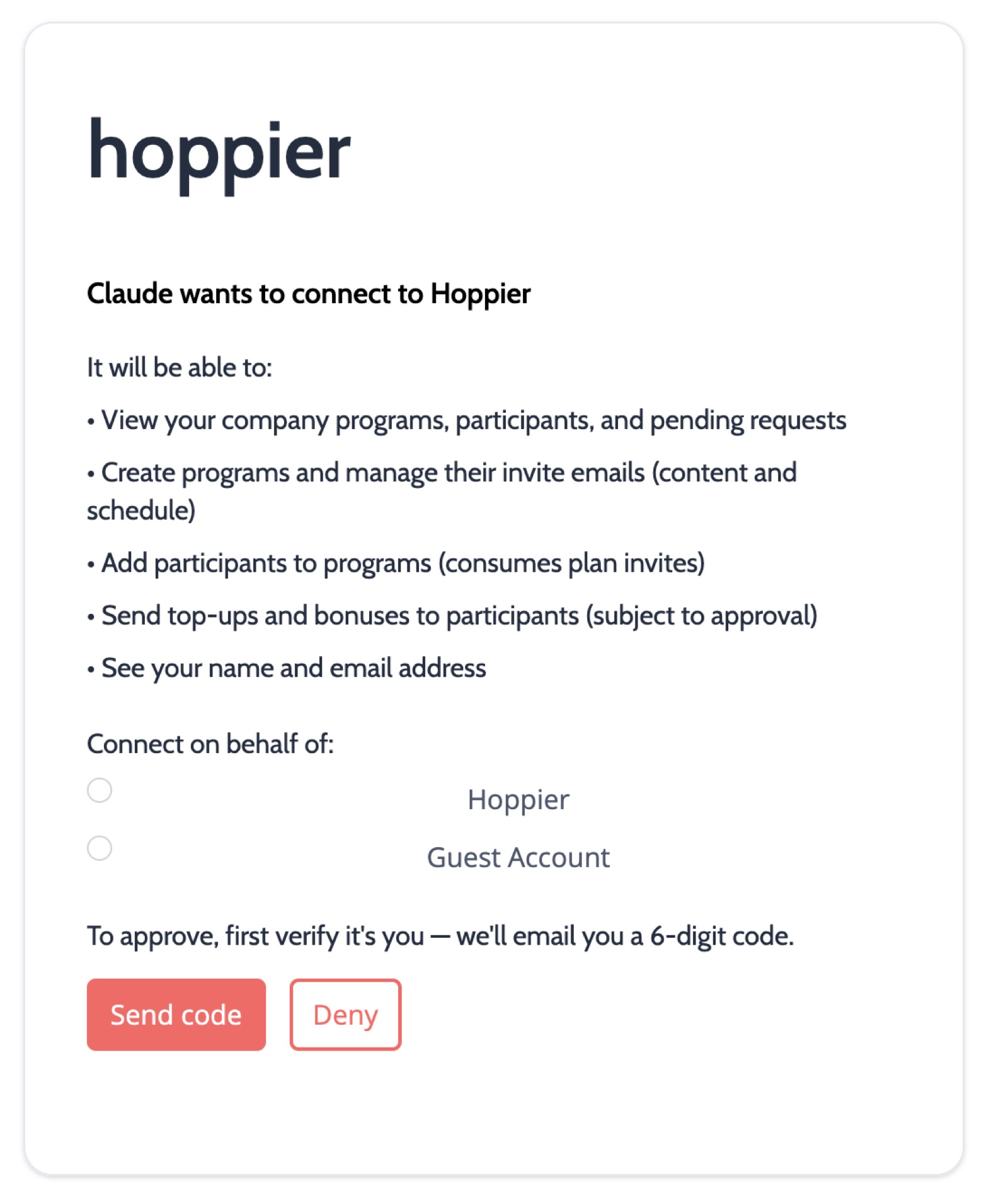
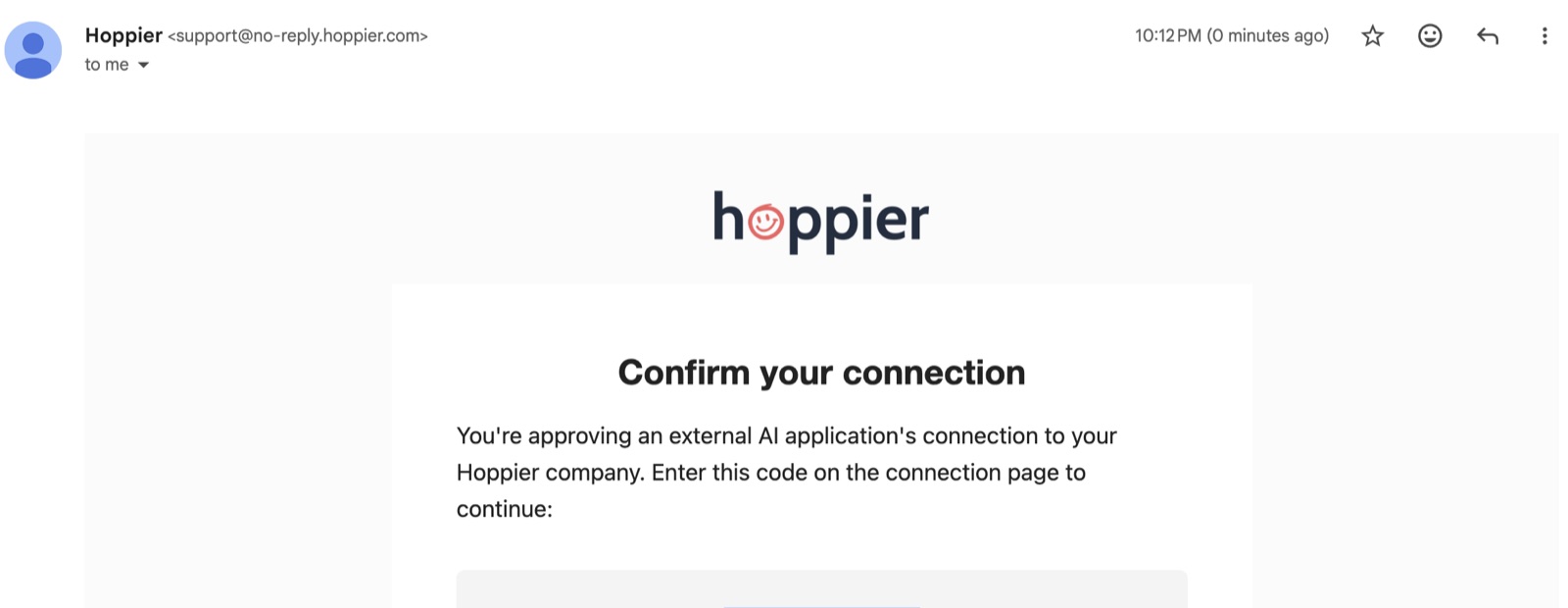
Approve, then confirm the 6-digit code Hoppier emails you - the human checkpoint proving the account owner authorized the link. On a Claude team account, an admin approves the connector once for everyone.
Step 2: A Real Send
From the recording above, the complete first run: ask Claude to list my programs (connection check), then:
"Create a Great Job, John program - $25 gift card, company default branding - and add john@[company].com."
Claude verifies the amount and branding with you, creates the program, and adds the recipient. Nothing was clicked in Hoppier. With Slack and email connected to the same assistant, the whole loop - decide, send, notify - lives in one chat.
Step 3: Track What Happened
Ask "who claimed what on [program], and is anything unclaimed?" and the agent returns the table: activated, claimed, spent, pending. Resending a reminder to the stragglers is one more sentence.
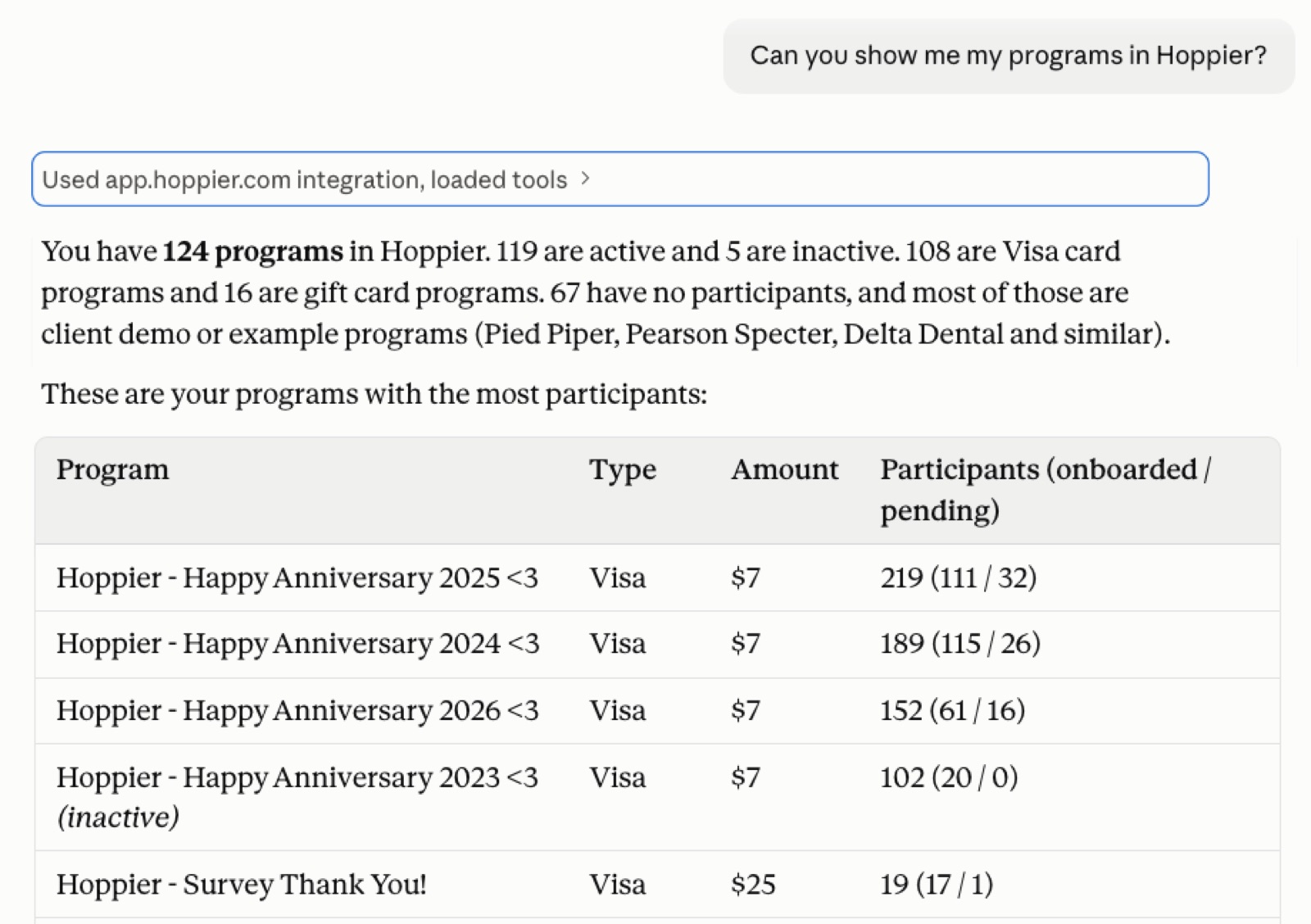
You can get all your program details, create reports, and send people reminders - so nothing gets missed and nothing was missent.
Emil Aite, Co-Founder & CTO
What the Agent Can Do Today (Exactly)
Read-only: get company context, list programs, get a specific program's details and analytics, list a program's participants, get the invite email/link, and search the merchant catalog (useful for "what could I offer someone in Denmark?").
Actions: create programs, add participants by email, resend invitations, update invite emails, update a program's merchants and vendors, send top-ups (requires a payment method already on file - ACH or card), and check the status of any action it took.
The approval model
Everything defaults to needs-approval - Claude double-checks before taking any action or pulling data. My recommendation: set the read-only tools to always-allow if you're the only one using your account, allow adding recipients and creating programs once you trust the flow, and keep send-top-up on always-ask. You control all of it from the connector settings.
Emil Aite, Co-Founder & CTO
Note the architecture here: those settings govern when the agent asks you - but budgets, merchant restrictions, and spend windows are enforced on Hoppier's servers regardless. The agent operating inside an allowance can't exceed it, whatever gets typed.
Failed and Unclaimed Sends
Ask for the program status, see who hasn't claimed, and tell the agent to resend their invitations - or fix a mistyped email with "update John's email to..." and resend. Unclaimed value never leaves your balance, so a stuck send costs attention, not money.
What Still Needs a Person
Three things, honestly: deciding which programs are worth running (the agent brainstorms; you choose), the first-time connection you just watched, and the first-time payment setup. After that, you genuinely don't have to open the Hoppier dashboard again.
MCP vs. Scheduled Program vs. API: When Each
- MCP / assistant: in-the-moment creation, one-off sends, pulling data, working across tools (Hoppier + Slack + HubSpot in one chat). The agent can even create the scheduled programs for you.
- Scheduled program / integration: anything repetitive with clear rules - birthdays from the HRIS, a gift card on every demo booked. When the logic is "if this, then that," you don't want an agent re-deciding it each time, spending tokens, or being wrong once.
- REST API (closed beta): custom internal processes - ERP flows, products with payout features built on top of Hoppier. Everything the MCP does, programmable. With Claude Code or Codex and our docs, a working integration is an afternoon, not a sprint.
For things with a very clear schedule or trigger, use the scheduled program - there's no point risking an agent making the wrong decision on black-and-white rules. The agent earns its keep on what comes up, not what repeats.
Emil Aite, Co-Founder & CTO
FAQ
Does this work with ChatGPT too?
Yes - same MCP server, connected through ChatGPT's plugin flow. The tutorial above is identical from step 2 on.
Can the agent spend money without me?
Only within what you've configured twice over: the approval settings decide when it asks, and the program's budget and restrictions - enforced server-side - cap what any action can move. Top-ups additionally require a payment method you put on file.
Is the MCP included in the free tier?
Yes - the MCP and API are available on the free gift-card tier. Connect at hoppier.com/mcp.
Set it up now at hoppier.com/mcp, or if you'd like company before your agent gets an allowance, we'll connect it with you.

Make Hoppier your unfair advantage
Send rewards, gifts, and perks to employees, clients, and event attendees in 60+ countries - all from one platform.
Get Started