How to Automate Employee Birthday and Work Anniversary Gifts
Automate employee birthday and work anniversary gifts: the one-time program setup, HRIS/Zapier/CSV date triggers, real amounts ($25-50 birthdays, $100-500+ anniversaries), and how the program keeps running when its admin changes jobs.




Quick answer: automate employee birthday and work anniversary gifts by setting up one program - budget per person, claim window, recipient choice - and connecting it to the place your dates already live: your HRIS or calendar via Zapier, a monthly roster CSV, or an AI assistant through the Hoppier MCP. Typical amounts run $25-50 for birthdays and $100-500+ for anniversaries, scaling with tenure. Set it up once; the only recurring work is keeping the roster current.
Every company says people are their greatest asset, and then puts one person in charge of remembering 107 birthdays in a spreadsheet. This guide is the end-to-end setup: the program, the date trigger, the budget, what recipients see, and what happens when the person who built it changes jobs. Real screens, real numbers from the programs running on our platform.
Why the Spreadsheet Version Fails
A 107-person construction company came to us this year with a birthday program run entirely by one person, by hand. Two numbers from that call explain this whole category:
They knew 80% of their cards were going unused, with no fund recovery. They were sending about $10 a card - and they were toying with sending $20 instead, specifically because getting the unused amount back would free up the budget to be more generous.
Nicholas Galipeau, Senior Account Executive
That's the quiet math of milestone programs: on a use-it-or-lose-it method, waste caps generosity. Recover the unspent value and the same budget sends bigger gifts. (The mechanics are in our gift card breakage breakdown.)
The other failure mode is simpler: buyers assume every tool is set-it-and-forget-it, and most aren't.
The most recurring complaint is that at any kind of scale, you can't personally know what items or vendors each person wants. Letting people choose - or giving an open Visa card - means someone can pick the local bookstore, a climbing gym, a small restaurant, instead of whatever you guessed.
Nicholas Galipeau
The Setup, Step by Step
Every step below is in the video above - the written version follows for skimmers and screenshots.
1. Create the program once
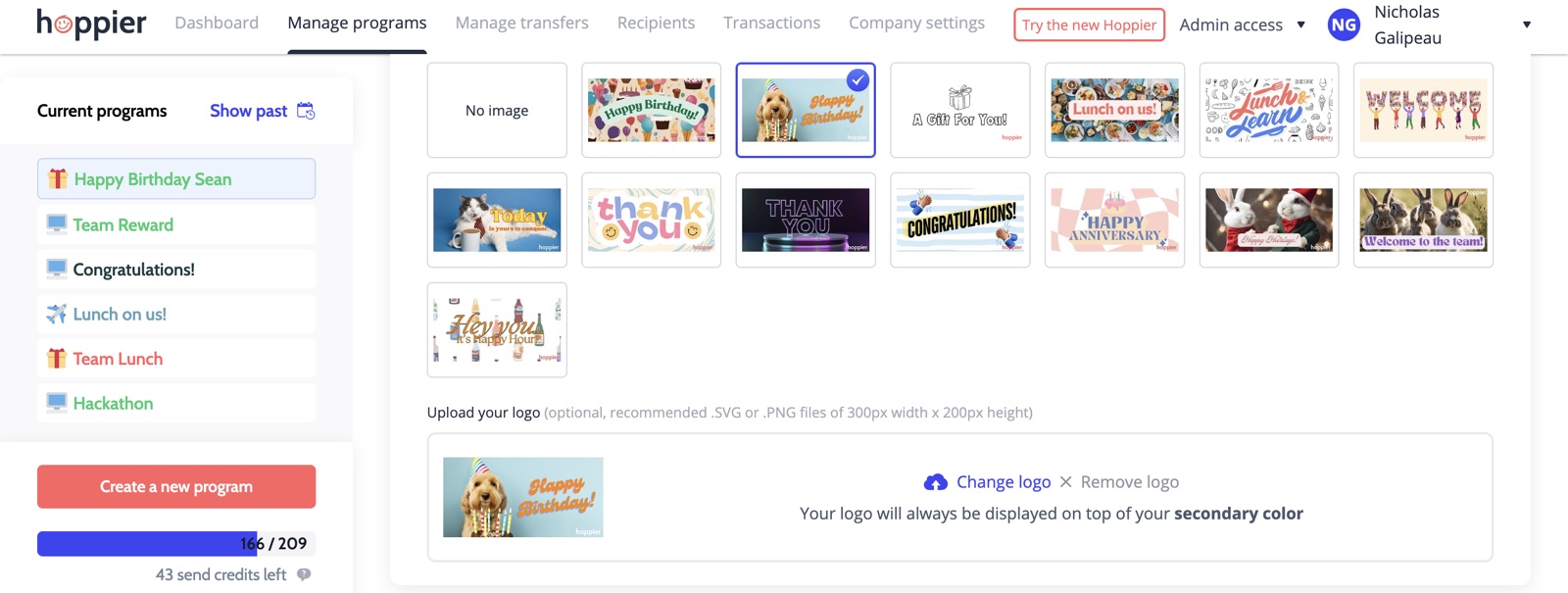
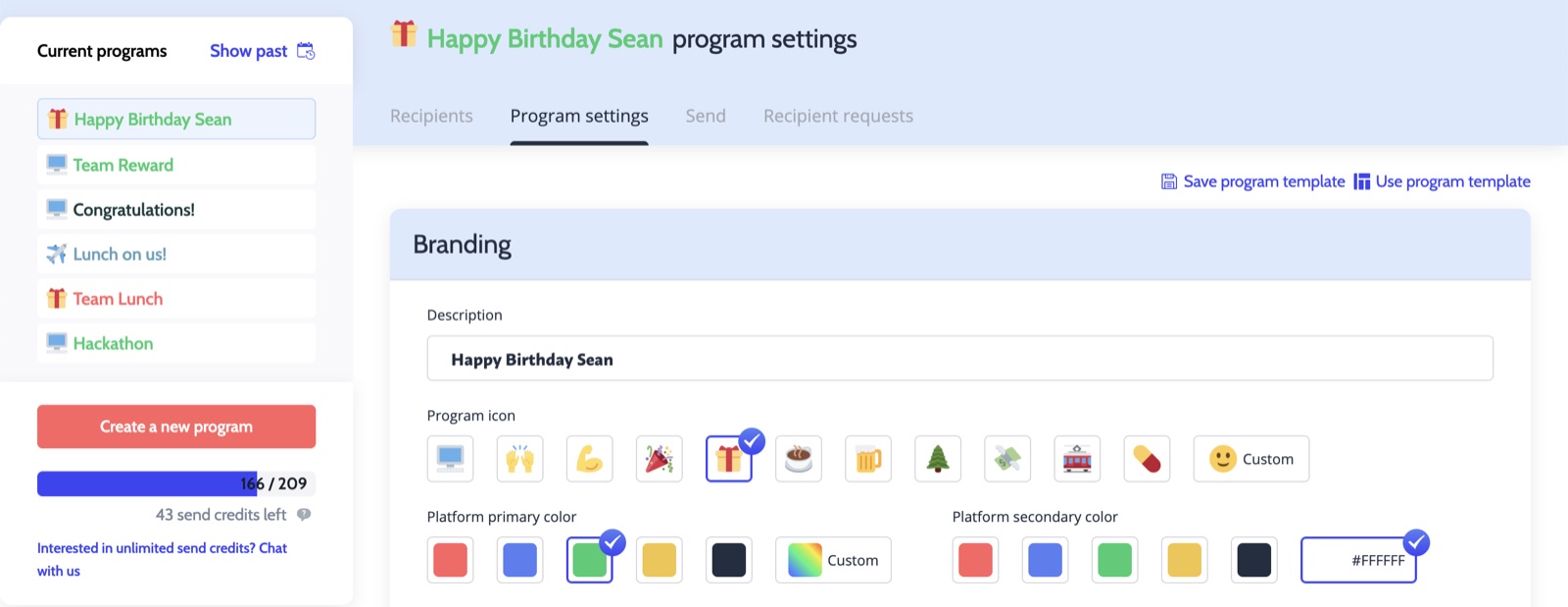
Name it, pick an icon and colors, choose a card design from the library or upload your logo. A program is the reusable container: it holds the budget rules, the branding, and the recipient list. You'll duplicate it for anniversaries in a minute.
2. Set the budget and the claim window
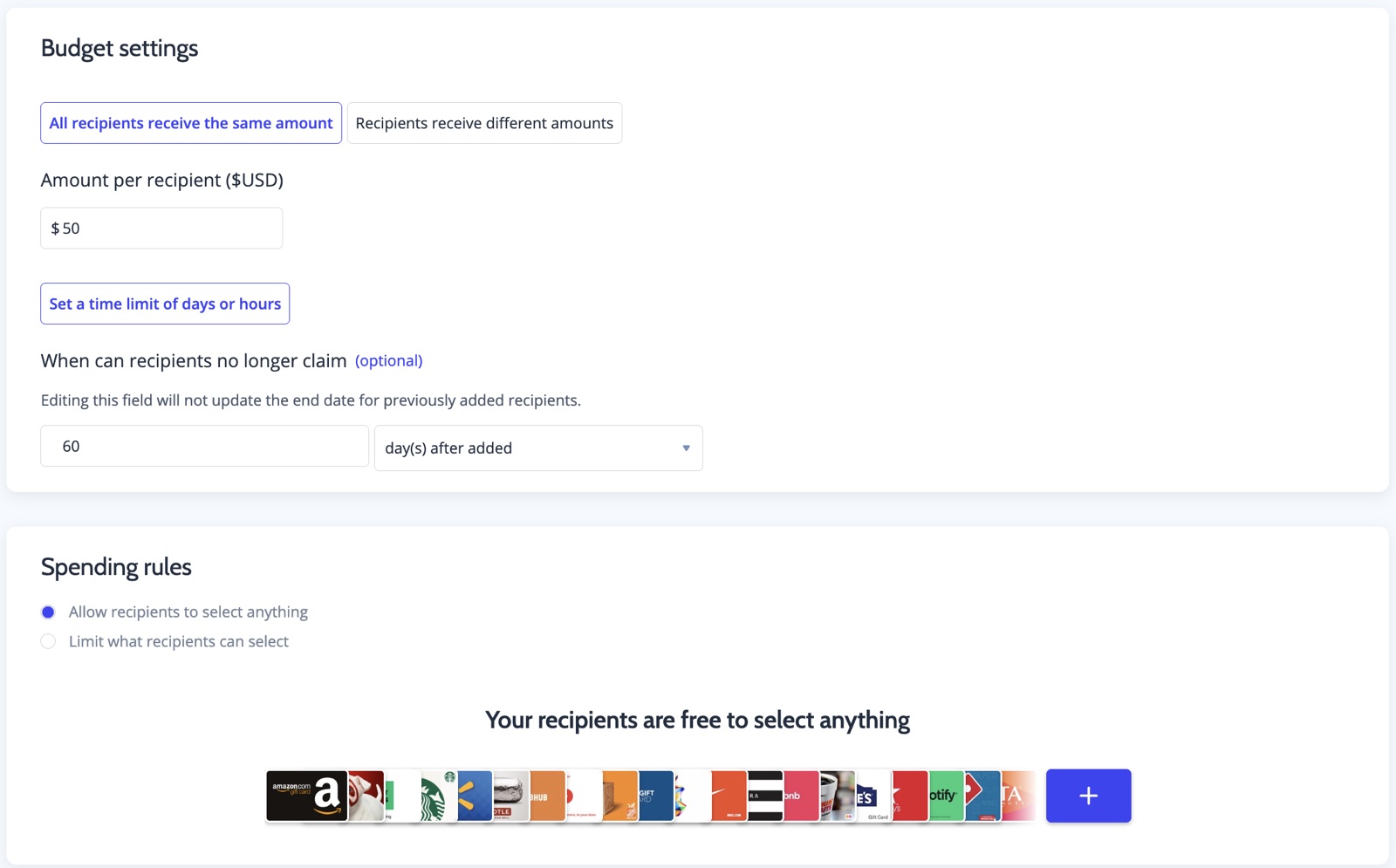
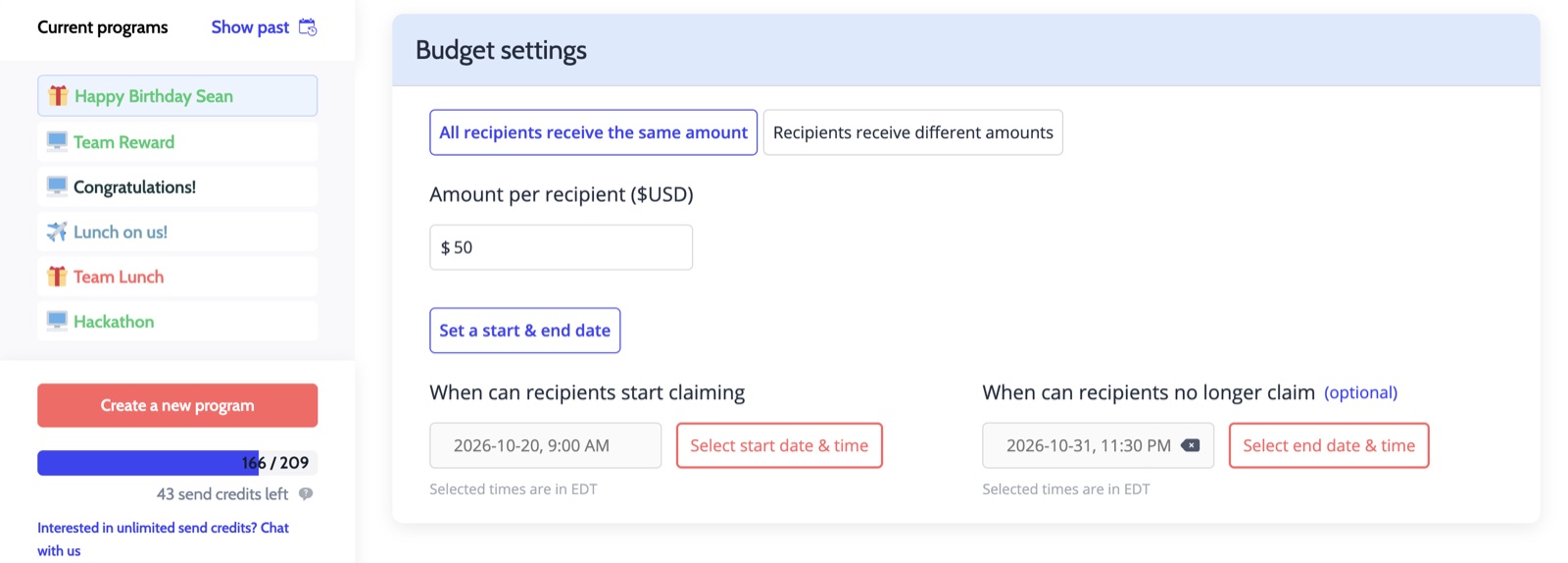
Same amount for everyone keeps it fair - $50 is the most common birthday number. Then choose how timing works. For birthdays, a rolling claim window beats fixed dates: each person gets, say, 60 days from their birthday to claim, so nobody's gift quietly expires while they're on vacation. (Fixed start and end dates exist too - those are for events like webinars or town halls.)
3. Decide what they can pick
For birthdays, leave it open: 3,000+ gift card options, and each person sees what's available in their own country. If you'd rather theme it (food only, experiences only), limit the vendor list or use a prepaid Visa restricted by category - the full tradeoff is in our gift cards vs. prepaid Visa comparison.
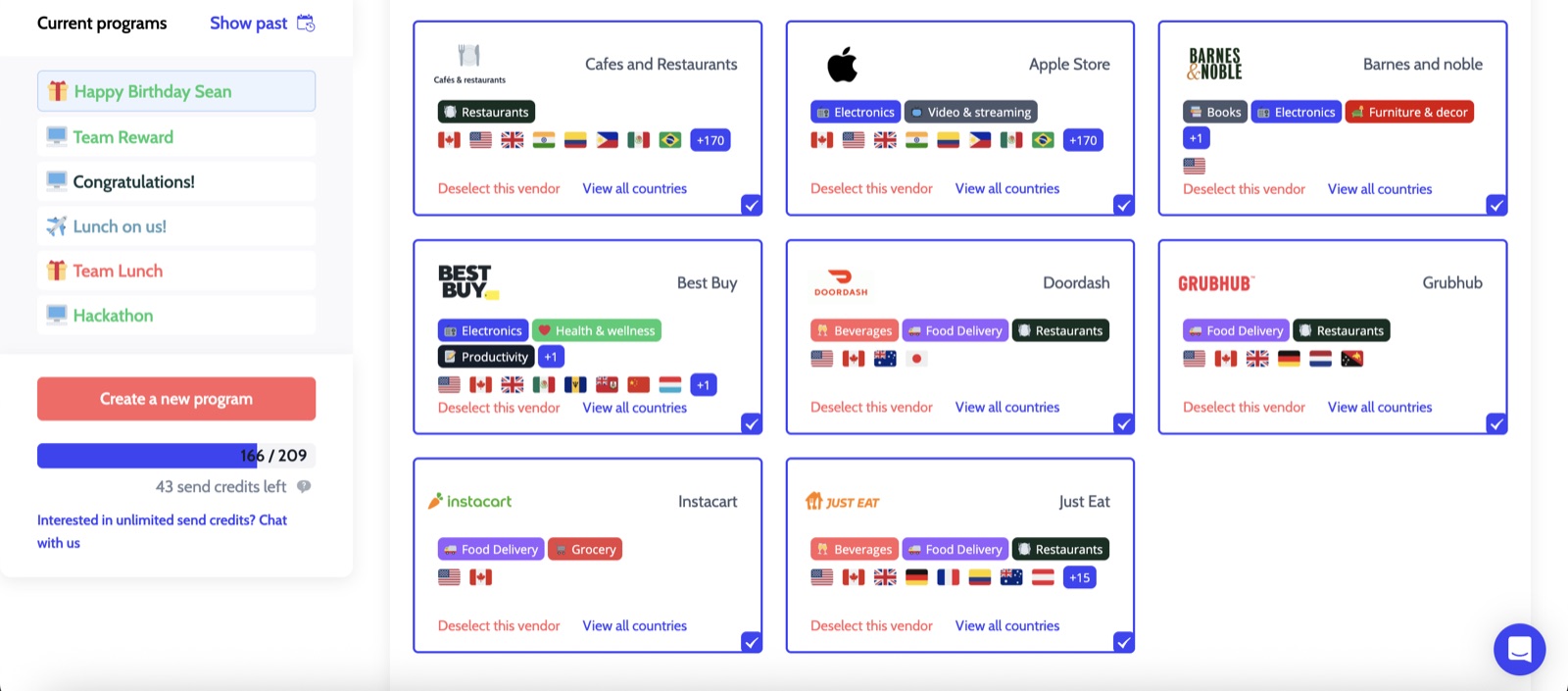
4. Connect the dates
Three honest paths, in increasing order of automation:
- Monthly CSV: at the start of each month, upload the people with birthdays that month (name, email, amount). Five minutes, zero integrations. Hoppier can also set the program up from your CSV for you - most of the manual work is on our side.
- Zapier or your HRIS: trigger the send from wherever the dates already live - a shared calendar, BambooHR, Gusto, Rippling. Set it up once and the program fires on each birthday on its own.
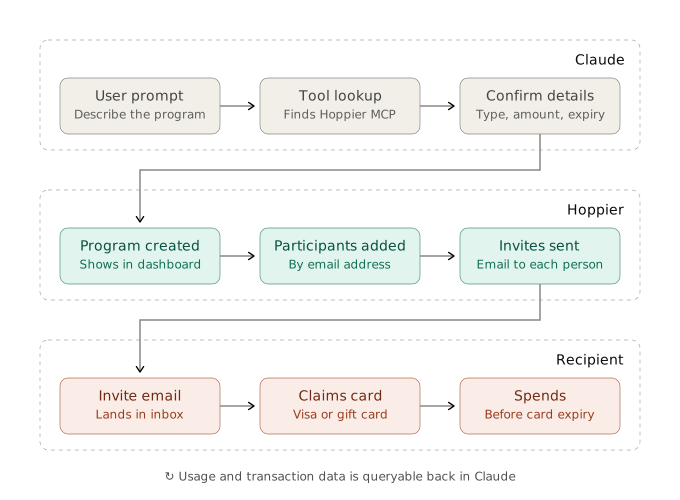
- Your AI assistant: connect Claude or ChatGPT through the Hoppier MCP and manage the program in plain English - including the one-off sends no schedule predicts.
What To Pay: Real Numbers
- Birthdays: $25-50 is the common band.
- Work anniversaries: $100-500, scaling with tenure - year five earns more than year one. We've seen milestone years at $1,000 and occasionally above.
For anniversaries the amount grows with the longevity of the stay. The longer the tenure, the more the amount - I've seen up to about $1,000 depending on the business.
Nicholas Galipeau
A tiering rule that works: a flat birthday amount for everyone, plus an anniversary ladder ($100 at year one, $250 at year three, $500 at year five). The rules live in the program, not in anyone's calendar.
New Hires, Departures, and the One-Off Gifts
A birthday program is a list plus a trigger, so the real maintenance question is the list. New hires get added with the monthly CSV or flow in from the HRIS trigger automatically. Departures simply stop being on the roster. And for the gifts no schedule predicts - a new-hire welcome, a parental-leave send-off - the assistant path shines:
For one-off, unpredictable programs - a $500 office-setup gift for a new hire, a parting gift for someone going on maternity leave - I just ask Claude to create the program with that budget and that person's name. No clicking around.
Emil Aite, Co-Founder & CTO
What Happens When the Program Owner Leaves
This is the part most tools fail silently. The person who built the birthday program changes jobs, the logins go stale, and three months later someone notices nobody's gotten a gift since March. In Hoppier the program belongs to the company account, and three roles keep it running:
- Full admins - same access as the owner. Add at least one, always: if you're away or you leave, they take over with no handover project.
- Managers - their own budget and their own programs, walled off from everyone else's. Give the sales lead the SPIFF budget without giving them the whole account.
- Custom admin roles - as granular as you like: an EA who can add people to existing programs but can't create new ones or send top-ups without approval.
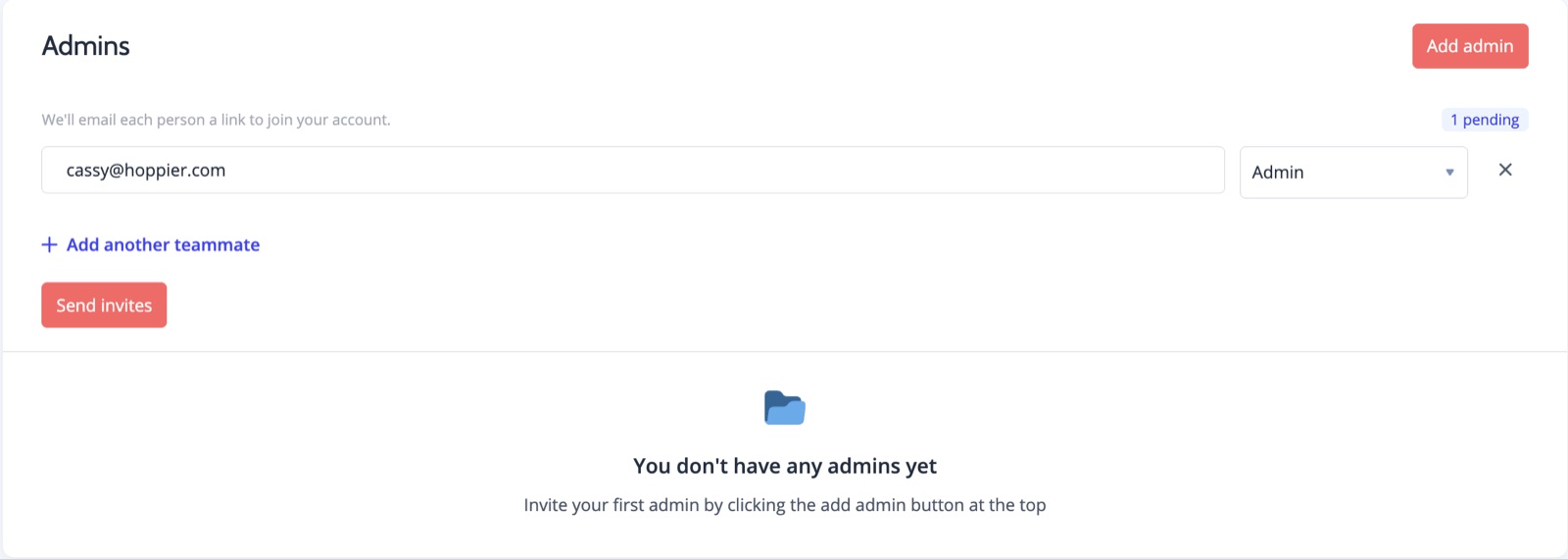
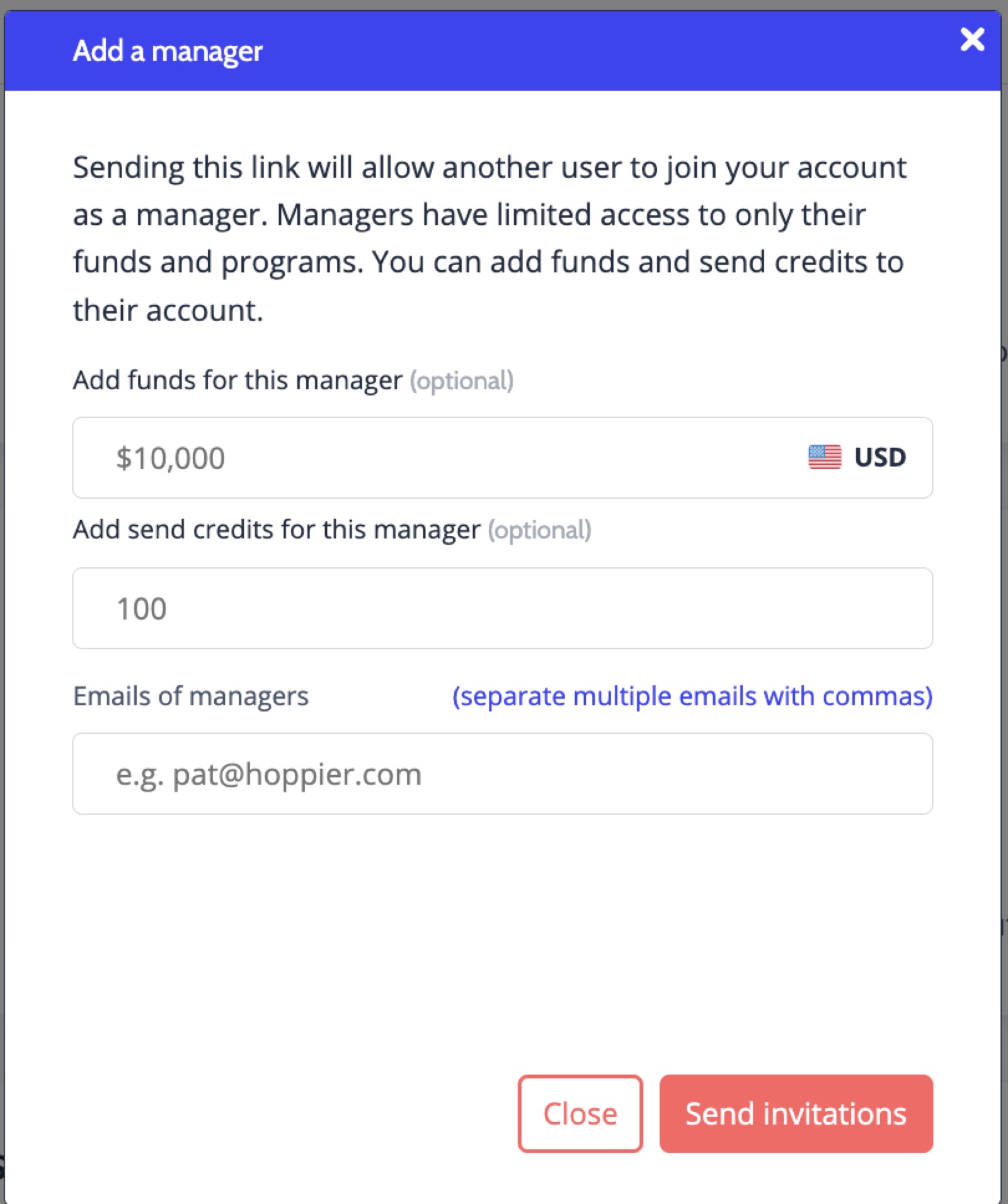
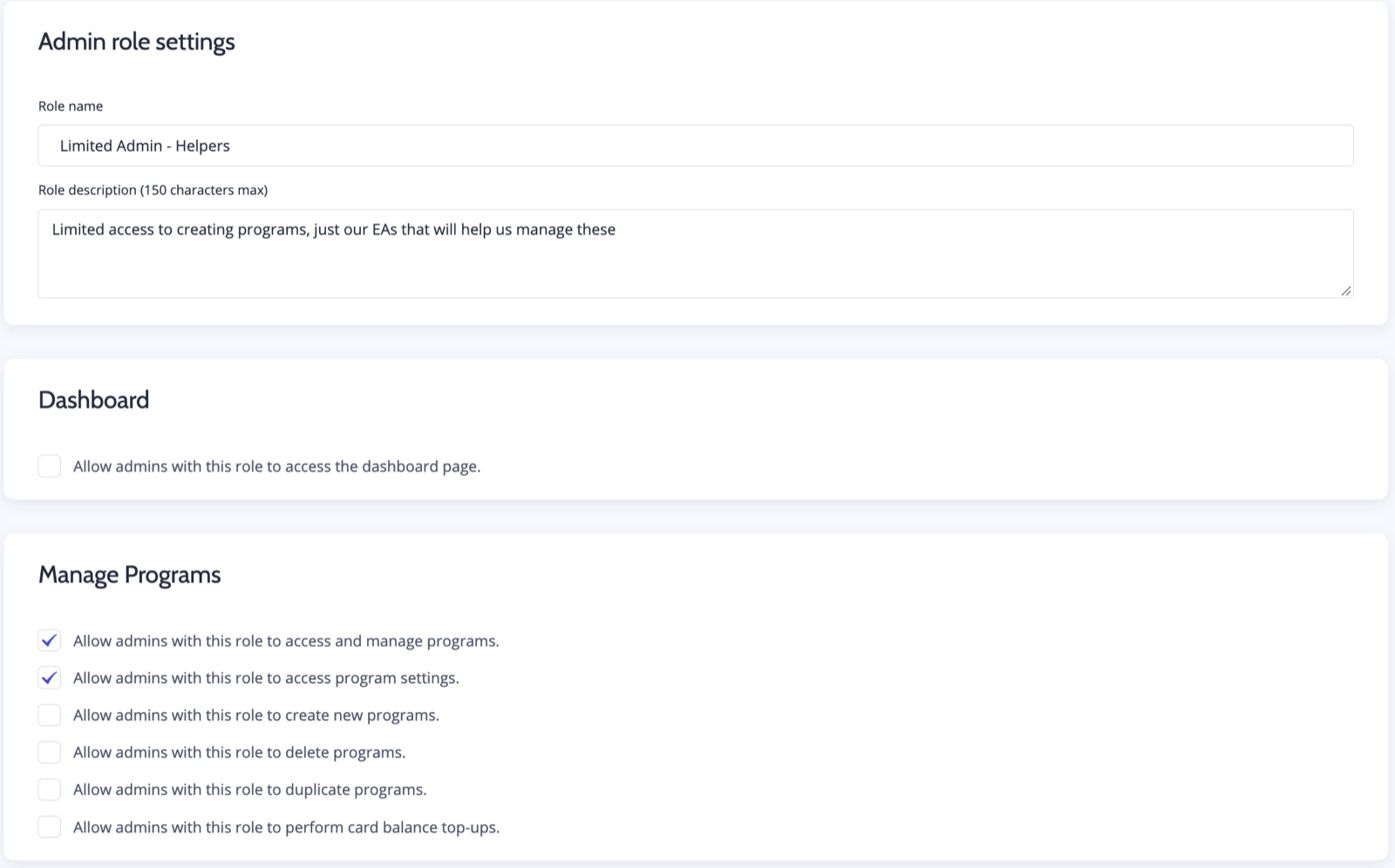
One more continuity story worth knowing: the program outlives the job in the other direction, too.
We regularly get people who used Hoppier at their old company, liked the rewards, and book a demo at their new role to set it up again. When people join a company with a birthday program they get genuinely excited - not every company does this.
Nicholas Galipeau
FAQ
Is it fully automatic?
Mostly, honestly. The recurring sends run on their own once connected. What stays human: building the roster the first time (a CSV with name, email, birth date, amount) and deciding the amounts. From there the program fires on schedule - and if you send us the CSV, the setup work is on our side, not yours.
What about employees in other countries?
Each recipient picks from brands available in their own country and currency, or a prepaid Visa. One program covers the whole roster - no per-country vendors to manage.
What happens to gifts nobody claims?
Unclaimed value returns to your balance when the claim window closes. That's why the 60-day rolling window matters: generous enough that nobody's cheated, finite enough that the budget recycles.
Can I run birthdays and anniversaries from one place?
Yes - duplicate the birthday program, rename it, change the amounts to your tenure ladder. Same roster, same controls, two minutes. Full product view: birthday & anniversary solutions.
Want it set up with you instead of by you? Book a free program setup call - bring the roster, leave with the program running. Or start it yourself; the CSV template is in the dashboard.

Make Hoppier your unfair advantage
Send rewards, gifts, and perks to employees, clients, and event attendees in 60+ countries - all from one platform.
Get Started